The WISMO agent for Shopify teams of 1–5
Answers “where is my order?” with the real tracking link
When a customer asks where is my order, the Clearbox WISMO agent can auto-send the tracking reply after you review shadow mode — only if Shopify has a tracking URL. Otherwise a human gets the draft. Billed on your Shopify invoice, not per ticket.
The agent works in support@. Refunds stay with a human. The plan is billed on your Shopify invoice, so ticket spikes do not change the price.
14-day trial on your Shopify bill • sample WISMO in minutes
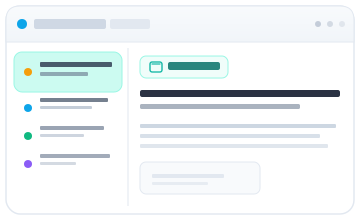
The WISMO agent, in the support inbox
For Shopify teams of 1–5. The agent answers where-is-my-order. The inbox is where your team still handles everything else.
Connect Shopify first
See a sample WISMO ticket with tracking beside the thread and the draft in the reply box—then connect Gmail, Outlook, or IMAP when you're ready for live mail.
Team Collaboration
Assign emails, add internal notes, and collaborate in real-time with no duplicate replies.
Simple Workflow
Just 4 email states: New, Assigned, Snoozed, Resolved.
Also included
Real-time Updates
See teammate actions instantly so your support queue stays coordinated.
Secure & Private
Email credentials are encrypted and customer data stays private.
Zero Training
If it needs explanation, it's too complex. Your team will be productive from day one.
WISMO auto if tracking is real — after shadow review
When a customer asks where is my order, Clearbox can auto-send the tracking reply after you review shadow mode — only if Shopify has a tracking URL. Otherwise a human gets the draft. Refunds never auto-send. A kill switch turns it off.
WISMO: optional auto-reply when tracking existsWhy Shopify teams use the WISMO agent instead of a heavy helpdesk
- Refund and return requests with Shopify order context beside the email—not buried in ticket fields and Admin tabs.
- For “where is my order?”, Clearbox can auto-send the tracking reply after you review shadow mode — only when Shopify has a tracking URL. Otherwise a human gets the draft. Refunds stay in the sidebar with an audit trail. A kill switch turns auto-send off.
- Predictable per-seat pricing when return volume spikes—you're not punished for being busy.
How it works
Aha in under 10 minutes
Connect your Shopify store
Authorize Clearbox—we'll pull order context so refunds aren't a tab-switching exercise.
Open a sample WISMO ticket
See a where-is-my-order email with Shopify tracking beside it and the draft already in the reply box.
Connect support@ when ready
Bring Gmail, Outlook, or IMAP. New threads arrive as Draft ready or Needs you.
FAQ
What is Clearbox?
Clearbox is the WISMO agent for Shopify teams of 1–5. Orders and tracking sit beside support@. For where is my order, the agent drafts a tracking reply and can auto-send after shadow review when Shopify has a tracking URL. Billed on your Shopify invoice, not per ticket.
Does Clearbox send WISMO automatically?
Yes, opt-in. After you review shadow examples in Settings, it can auto-send WISMO tracking replies only when Shopify has a tracking URL. Lost parcels and anything without tracking stay human.
Do refunds send automatically?
No. Refunds, exchanges, and cancellations stay with a human in the sidebar. Clearbox never auto-sends money moves.
Can I turn auto-send off?
Yes. Settings has a kill switch that blocks all auto-send immediately. Live WISMO is also tracking-gated and off until you opt in after shadow.
How is Clearbox different from Gorgias?
Clearbox is the WISMO agent for email-first Shopify teams of 1–5: it answers where-is-my-order with the real tracking link after shadow review, and only when Shopify has a tracking URL. Gorgias fits better when you need chat, social, and SMS from day one.
How much does Clearbox cost?
Plans are billed on your Shopify invoice, not per ticket and not through Stripe. The 14-day trial starts when you approve the Shopify charge. See getclearbox.com/pricing.
Does Clearbox work with Gmail and Outlook?
Yes. Connect Gmail, Outlook, or any IMAP/SMTP support mailbox after Shopify. You can hit the aha moment with a sample WISMO ticket before connecting live mail.
How long does setup take?
Most teams connect their support inbox and Shopify store in under 10 minutes. No week-long implementation or contact-center training required.
Let the WISMO agent answer “where is my order?”
Tracking replies auto-send after shadow review when Shopify has a tracking URL. Otherwise a human gets the draft. Refunds never auto-send.
Start your free trial14-day trial • billed on your Shopify invoice